
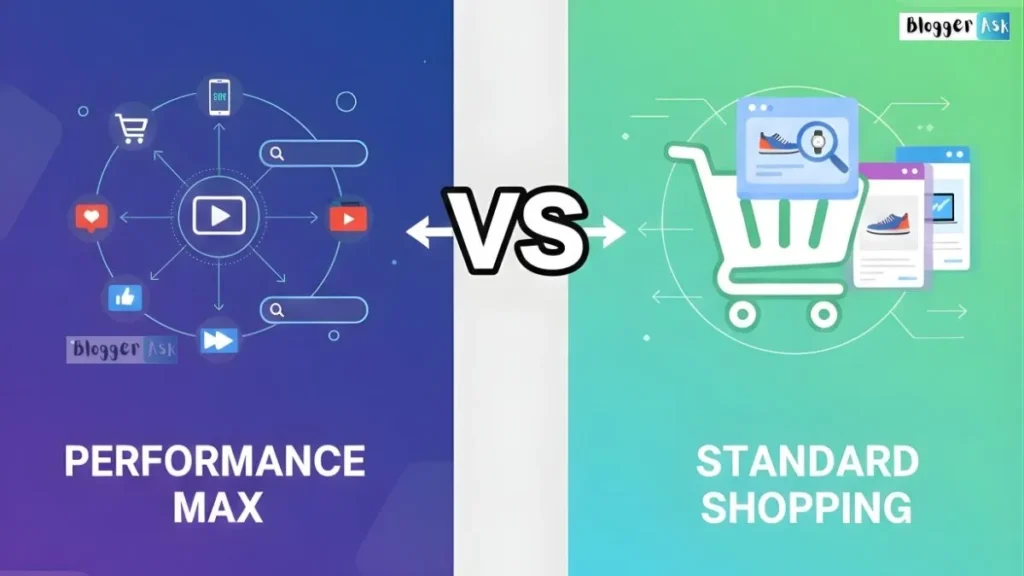
⚡ Quick Answer: Performance Max vs Standard Shopping Campaigns
Performance Max is Google’s automated campaign type. It combines your product feed with creative assets and serves across Search, Shopping, Display, YouTube, Discover, Gmail and Maps, with Google AI handling bidding, targeting and placements. Standard Shopping is the manual, feed-driven campaign type built around Search and the Shopping tab, where you control bids, product groups and negative keywords directly. Since October 2024, neither one automatically outranks the other — Ad Rank decides which serves when both target the same product. Most established stores run both: Standard Shopping to protect proven, high-margin and branded traffic, Performance Max to buy incremental reach. In 2026, there is now a third path: keep Standard Shopping and layer AI Max for Shopping on top of it.
Key Takeaways
- Performance Max reaches Search, Shopping, Display, YouTube, Discover, Gmail and Maps from one campaign. Standard Shopping is feed-only and centred on Search and the Shopping tab.
- Performance Max supports negative keywords, including applying an existing negative keyword list to a PMax campaign. They only cover Search and Shopping inventory — not Display, YouTube, Gmail or Discover.
- Brand exclusions are the proper tool for stopping Performance Max from eating your branded search. Negative keywords are the blunt version.
- Since October 2024, Ad Rank decides which campaign serves when Performance Max and Standard Shopping target the same product.
- Google does not publish a “30 conversions to run PMax” rule. What Google actually documents: Target ROAS needs at least 15 conversions in the past 30 days on Search and Shopping campaigns, and Smart Bidding should be evaluated over a window with at least 30 conversions (50 for Target ROAS).
- Customer acquisition goals are available in Shopping campaigns too — not just Performance Max. The retention goal is the genuinely PMax-only lifecycle feature.
- Standard Shopping is not deprecated, but 2026 changed the question. AI Max for Shopping now offers a one-click upgrade path on top of Shopping campaigns.
- Two dates to diarise: bidding strategy labels changed in June 2026, and Google is changing how Target CPA and Target ROAS behave for budget-limited campaigns from 17 August 2026.
Introduction:
If you sell products through Google Ads, you eventually hit this fork. Performance Max vs Standard Shopping campaigns — or how to run both without them fighting each other.
The decision matters more than it used to. Both campaign types changed substantially between 2024 and 2026. Most of the advice still circulating online is describing a version of Performance Max that no longer exists.
Worse, a lot of it repeats claims that Google’s own documentation now contradicts.
This guide compares the two as they actually work in July 2026. What each one controls. What you can and can’t see. What changed this year. And how to pick — or how to combine them — for your store.
Every platform-specific claim below is dated and sourced. Where Google’s docs disagree with each other, I say so.
What Is a Standard Shopping Campaign?
Definition: A Standard Shopping campaign is a Google Ads campaign type that uses your Google Merchant Center product feed to show product listing ads — image, title, price, store name — primarily on Google Search and the Shopping tab. You manually control bidding, product grouping, campaign priority and negative keywords.
Standard Shopping is feed-driven. No keywords to write. No ad copy to draft. Google matches your product data to a shopper’s query, and you control the levers around that match.
What you manage directly:
- Product groups — how you segment the catalogue (category, brand, margin, custom labels)
- Bidding — Manual CPC, Maximize Clicks, Maximize Conversion Value, Target ROAS
- Negative keywords — including shared negative keyword lists across campaigns
- Campaign priority — which of your own Shopping campaigns wins when products overlap
- Location, device and schedule targeting
That control is the product. It’s also the workload.
What Is Performance Max?
Definition: Performance Max (PMax) is Google’s automated, goal-based campaign type. It combines your product feed with creative assets — images, video, headlines, descriptions — and uses Google AI to serve ads across Search, Shopping, Display, YouTube, Discover, Gmail and Maps from a single campaign.
You don’t set placements. You set a goal and feed the system.
What you provide:
- Product feed via Google Merchant Center
- Asset groups — headlines, descriptions, images and video organised by theme, category or audience. This is PMax’s structural answer to product groups.
- Audience signals — customer lists, in-market segments and similar starting hints. They guide the model. They do not fence it in.
- Search themes — phrases that tell the system what intent you want to capture. Directional, not an exact-match trigger.
- A conversion goal, plus optional customer lifecycle goals
Your job isn’t to steer the traffic. It’s to make the inputs good enough that the system’s decisions are worth trusting.
What Is AI Max for Shopping? (The 2026 Third Option)
Definition: AI Max is Google’s AI matching-and-creative layer that sits on top of existing campaigns rather than replacing them. It reached general availability on 15 April 2026, and Google has extended it to Shopping campaigns, using your Merchant Center feed to turn product data into dynamic ads that answer conversational, long-tail queries.
This is the update that breaks the old binary.
Google positions AI Max for Shopping as a one-click upgrade for retailers who want incremental reach on the complex, conversational searches a standard Shopping campaign misses — without abandoning the Shopping campaign structure they already control.
Google has also said the same feed-to-conversational-ad capability is coming to Performance Max, and that AI Brief — a plain-language way to give the AI messaging, matching and audience guidelines — will roll out to AI Max for Search first, then Performance Max and AI Max for Shopping.
Why this matters for your decision: the 2026 question is no longer “PMax or Standard Shopping.” It’s:
- Performance Max
- Standard Shopping
- Standard Shopping plus AI Max
Option 3 didn’t exist when most of the comparison articles you’ll read were written.
Important: Rollouts move. Google describes several of these features as still rolling out. Verify what’s live in your account before you plan a quarter around it.
A Quick Timeline: What Actually Changed, and When
| Date | What happened |
|---|---|
| 2010 | Product Listing Ads launch — the origin of Shopping ads |
| 2014 | Shopping campaigns replace PLA campaigns as the campaign type |
| 2018 | Smart Shopping launches |
| 2021 | Performance Max launches |
| September 2022 | Smart Shopping is retired and folded into Performance Max. Standard Shopping continues as a separate, supported campaign type. |
| December 2024 | Brand exclusions become self-serve for Performance Max — no more support tickets to block your own brand |
| October 2024 | Google stops automatically prioritising Performance Max over Standard Shopping. Ad Rank decides which serves when both target the same product |
| 2025 | Campaign-level negative keywords launch for Performance Max (account-level negatives already applied to PMax before this). A dedicated search terms report and channel performance reporting follow |
| January 2026 | Google announces PMax first-party audience exclusions, budget reporting, full audience reporting (age, gender) and network-segmented placement reporting |
| 15 April 2026 | AI Max reaches general availability. Google confirms DSA, automatically created assets and campaign-level broad match campaigns will be auto-upgraded to AI Max from September 2026 |
| April 2026 | AI Max for Shopping campaigns announced, plus AI Brief |
| 20 May 2026 | Google Marketing Live 2026: ads in AI Mode and AI-written Shopping ads, where Gemini reads your Merchant Center feed and writes a per-query explainer |
| June 2026 | Smart Bidding relabelling: “Maximize conversions with a Target CPA” becomes Target CPA; “Maximize conversion value with a Target ROAS” becomes Target ROAS. Maximize Conversion Value becomes available in Standard Shopping |
| 6 July 2026 | Bid Target Adjustment Tool becomes available |
| 17 August 2026 | Google updates how Target CPA and Target ROAS behave for budget-limited campaigns |
Notice the pattern. Smart Shopping became Performance Max. Dynamic Search Ads became AI Max. Shopping campaigns now have an optional AI Max layer.
Google doesn’t usually kill a campaign type. It absorbs it into an AI layer, then makes that layer the default.
Performance Max vs Standard Shopping: At a Glance
| Factor | Performance Max | Standard Shopping | Standard Shopping + AI Max |
|---|---|---|---|
| Ad placements | Search, Shopping, Display, YouTube, Discover, Gmail, Maps (plus Waze for store goals in the US) | Search and the Shopping tab | Same as Standard Shopping, with broader AI-driven query matching |
| AI surfaces (AI Overviews / AI Mode) | Eligible | Reported eligible | Eligible |
| Automation level | Bidding, targeting and placement fully automated | You set structure; bidding can be manual or automated | You keep the structure; AI expands matching and creative |
| Creative assets | Required (headlines, descriptions, images, video) | Not required — feed data only | Feed-driven, with AI-generated text |
| Structural unit | Asset groups (with listing group filters for products) | Product groups / ad groups | Product groups / ad groups |
| Negative keywords | Yes — campaign-level and account-level, and you can apply an existing negative keyword list. Search and Shopping inventory only | Yes — including shared negative keyword lists | Yes |
| Brand exclusions | Yes (self-serve since Dec 2024) | Not applicable — you control brand terms by structure | Brand controls reported in rollout |
| Search terms visibility | Yes — “Search terms and landing pages for Performance Max,” with ad format segmentation | Yes — full search terms report | Yes |
| Placement reporting | Yes — under “When and where ads showed,” segmentable by network. Built for brand safety, not per-placement cost attribution | Product, category and device-level performance | Same as Standard Shopping |
| Bidding strategies | Maximize Conversions, Maximize Conversion Value, Target CPA, Target ROAS | Manual CPC, Maximize Clicks, Maximize Conversion Value, Target ROAS | Inherits Shopping bidding |
| Customer acquisition goal | Yes | Yes — acquisition goals support Search, Shopping and PMax | Yes |
| Retention goal (lapsed customers) | Yes — PMax only | No | No |
| Data needed to bid automatically | Target ROAS needs ≥15 conversions in the past 30 days | Same threshold if you use Target ROAS; Manual CPC works from day one | Same as Standard Shopping |
| Best for | Reach, automation, prospecting, lifecycle bidding | Control, transparency, protecting proven winners | Keeping control while buying incremental long-tail reach |
How Each Campaign Actually Works
How Standard Shopping works
Standard Shopping matches your feed to a query, then applies your rules.
The chain is simple: feed data → search query → your rules → auction.
No black box. Because you control every layer, the campaign rewards active management. Tight product groups and a maintained negative list will beat a neglected campaign every time. That effort is the price of the transparency.
How Performance Max works
Performance Max reads a much wider signal set — search behaviour, YouTube activity, on-site engagement, predictive modelling — and assembles ads per placement from your assets.
The chain is: your inputs (feed, assets, signals, goal) → model → placement decision → auction.
Weak inputs are the usual cause of weak PMax results. Thin creative. Broken tracking. A ROAS target detached from reality. The automation is rarely the problem on its own.
The criticism worth knowing: for retailers, PMax spend and conversion credit often skew toward Shopping inventory and existing demand. That’s not a conspiracy — it’s where the intent is. But it means an unguarded PMax campaign can look brilliant while doing very little that’s incremental. Everything in the controls section below exists to fix that.
Where Your Ads Can Appear
Performance Max placements:
- Search results (Shopping and text-style ads)
- Shopping tab
- YouTube (in-stream, in-feed, Shorts)
- Display Network
- Discover feed
- Gmail
- Google Maps
- Waze — for Performance Max for store goals in the US
Standard Shopping placements:
- Search results page (Shopping unit)
- Google Shopping tab
And then there’s the 2026 wrinkle: AI surfaces.
Ads now appear inside AI Overviews and AI Mode. At Google Marketing Live 2026, Google’s ads liaison indicated that the campaign types eligible to serve there include Performance Max, AI Max, Shopping campaigns and broad match Search — with early tests limited to US, English-language queries.
So the old line — “Standard Shopping is stuck on two surfaces” — no longer holds cleanly. Your Shopping campaign is reported to be eligible on Google’s AI surfaces too.
Note: Treat AI Mode ad availability as an in-progress rollout, not a finished feature. Check your own placement and network reporting before you claim reach you may not have.
The honest summary: if your strategy needs YouTube, Display or Discover reach, Performance Max is still the only one of the two that delivers it.
Bidding Strategies and Budget Control
Standard Shopping bidding options (July 2026):
- Manual CPC — you set bids at the product group level
- Maximize Clicks — spend the budget, get the clicks
- Maximize Conversion Value — became available in Standard Shopping in June 2026
- Target ROAS — bid toward a return target
Enhanced CPC is gone. Google retired it for Shopping first, then for Search and Display from the week of 31 March 2025. Campaigns that weren’t migrated now effectively run on Manual CPC.
Performance Max bidding options:
- Maximize Conversions
- Maximize Conversion Value
- Target CPA
- Target ROAS
Performance Max offers no Manual CPC and no Maximize Clicks. It is built around conversion outcomes, full stop. If you need raw click volume or pure visibility, that’s a structural limitation — not a setting you can flip.
Two 2026 bidding changes you cannot ignore
1. The June 2026 relabelling. Google changed the names, not the behaviour. “Maximize conversions with a Target CPA” is now Target CPA. “Maximize conversion value with a Target ROAS” is now Target ROAS. Nothing to action — but if your documentation or reporting templates use the old labels, update them.
2. The 17 August 2026 change to target-based bidding. Google is updating how Target CPA and Target ROAS behave for campaigns that are limited by budget, aiming for more consistent, predictable delivery. Google warns this may cause temporary performance and traffic fluctuations.
Expert Tip: Google made a Bid Target Adjustment Tool available on 6 July 2026 to help you prepare. If you run budget-constrained tROAS or tCPA campaigns — which describes most Shopping and PMax accounts — review your targets before mid-August rather than diagnosing a mystery dip afterwards.
How Much Conversion Data Do You Actually Need?
This is the most misquoted number in the category. You’ll see “you need 30 conversions a month to run Performance Max” everywhere. Google doesn’t say that.
Here’s what Google actually documents.
| What you’re asking | Google’s documented answer |
|---|---|
| Can I use Target ROAS on a Search or Shopping campaign? | At least 15 conversions in the past 30 days (Shopping: 15 per Merchant Center ID) |
| How long a window should I evaluate Smart Bidding over? | A period containing at least 30 conversions — 50 for Target ROAS |
| How should I evaluate Target CPA? | The last 30 days, including at least 30 conversions |
| What’s the minimum to run Performance Max? | Google publishes no such threshold. PMax requires conversion tracking and a goal, not a magic number |
Three different numbers, three different purposes. Eligibility is not the same as evaluability, and neither is a guarantee of performance.
The practical read:
- Under ~15 conversions a month → Smart Bidding has thin data. Manual CPC on Standard Shopping gives you a stable baseline.
- 15–30 a month → automated bidding is usable, but expect noisy weeks. Judge over quarters, not fortnights.
- 30–50+ a month → you have enough volume to evaluate Smart Bidding honestly, and enough to give Performance Max a fair test.
Important: Conversion quality beats conversion count. Thirty conversions from broken tracking will teach the model the wrong lesson thirty times.
Targeting, Audience Signals and Customer Lifecycle Goals
Standard Shopping targets on how well your product data matches a query, refined by your negatives, priority settings and bid adjustments.
Performance Max targets on a broader signal set: audience signals, search themes, site engagement and Google’s predictive modelling. You give direction. Google makes the call.
Note: Audience signals in Performance Max are a starting point, not a fence. PMax will serve outside your signals if it predicts a conversion.
Customer lifecycle goals — and the myth worth killing
A lot of comparison articles claim the customer acquisition goal is a Performance Max exclusive. It isn’t.
Google’s documentation and API both show that customer acquisition goals support Search, Shopping and Performance Max campaigns. Your Standard Shopping campaign can bid higher for new customers too.
What is PMax-exclusive:
- The retention goal — designed to re-engage lapsed customers, with Re-engagement Mode and High-Value Re-engagement Mode. Google’s documentation states the retention goal requires a Performance Max campaign, running the new customer acquisition goal in New Customer Value mode, plus Customer Match lists of your lapsed customers.
- The high-value new customer variants that let you bid differently for prospects who look like your best existing buyers.
New in 2026: Google also announced first-party audience exclusions for Performance Max — you can exclude specific customer lists from a PMax campaign so budget goes to acquisition instead of re-buying people who already converted.
Expert Tip: Lifecycle bidding adds value to conversions to steer the model, which inflates in-platform conversion value. Use the “original conversion value” column to separate the real revenue from the bidding premium before you report ROAS to anyone who signs cheques.
The Controls That Actually Work: Negatives, Brand Exclusions and Placement Exclusions
This is where outdated advice does the most damage — and where most PMax accounts leak money.
Negative keywords in Performance Max
Before 2025: you needed a Google rep to apply negatives to PMax, and the practical cap was tiny.
Now:
- You can add campaign-level negative keywords to a Performance Max campaign directly in the interface, under Campaigns → Keywords → Negative keywords. Campaign-level lists are widely reported to support up to 10,000 keywords.
- You can apply an existing negative keyword list to a PMax campaign — the “PMax can’t use shared lists” claim you’ll read elsewhere is out of date.
- Account-level negative keywords apply automatically across Search, Shopping, Performance Max, App, Smart and Local campaigns. Google documents a limit of 1,000 keywords per account.
- Crucially: PMax negative keywords apply to Search and Shopping inventory only. They do nothing on Display, YouTube, Gmail or Discover.
Brand exclusions: the tool most articles forget
If your worry is Performance Max hoovering up your own branded searches and taking credit for sales that would have happened anyway — negative keywords are the wrong tool. Brand exclusions are the right one.
Brand exclusions have been self-serve since December 2024. They work off Google’s brand entity index, not string matching, so variants and misspellings are handled without you building a keyword list.
Key details:
- For Performance Max, brand exclusions apply to Search and Shopping inventory
- You can exclude your own brand, competitors, resellers or partner brands
- There’s a checkbox to still allow Shopping ads on searches that mention excluded brands — useful for multi-brand retailers and resellers who want to keep Shopping visibility while blocking text ads
- Brand exclusions take priority over brand inclusions
Expert Tip: If you exclude your brand from Performance Max, make sure something else is catching that traffic — a branded Standard Shopping campaign or a branded Search campaign. Plenty of accounts block brand in PMax and then simply stop showing up for their own name.
Display, YouTube and Discover: a different toolbox
Negative keywords don’t reach these surfaces. Use:
- Excluded content keywords — set in the Content Suitability Center, up to 1,000, applying to campaigns running on YouTube and Display
- Excluded sensitive content categories and inventory type (maximum / moderate / limited)
- Placement exclusions — Performance Max respects account-level and manager-account (MCC) placement exclusions. It does not support campaign-level placement exclusions, so your exclusion strategy is global across all PMax campaigns in the account.
The control-coverage matrix
This is the table nobody publishes, and it’s the one you’ll actually use.
| Control | Where you set it | Search | Shopping | Display | YouTube | Gmail / Discover | Standard Shopping equivalent |
|---|---|---|---|---|---|---|---|
| Negative keywords (campaign) | PMax campaign | ✅ | ✅ | ❌ | ❌ | ❌ | Yes — campaign negatives |
| Negative keyword lists | Shared library, applied to campaign | ✅ | ✅ | ❌ | ❌ | ❌ | Yes |
| Account-level negatives (1,000 cap) | Admin → Account settings | ✅ | ✅ | ❌ | ❌ | ❌ | Yes — same list applies |
| Brand exclusions | PMax campaign settings | ✅ | ✅ (optional override) | ❌ | ❌ | ❌ | N/A — control by campaign structure |
| Excluded content keywords (1,000 cap) | Content Suitability Center | ❌ | ❌ | ✅ | ✅ | Partial | N/A |
| Placement exclusions | Account or MCC level only | ❌ | ❌ | ✅ | ✅ | ✅ | N/A |
| Inventory type / sensitive content | Content Suitability Center | ❌ | ❌ | ✅ | ✅ | ✅ | N/A |
| First-party audience exclusions | PMax campaign | ✅ | ✅ | ✅ | ✅ | ✅ | Customer Match exclusions in Shopping |
| Listing group filters | PMax asset group | ✅ | ✅ | — | — | — | Product groups |
Note on Google’s own docs: Google’s Shopping onboarding guide still states that campaign-level negative keywords aren’t available for Performance Max, while Google’s dedicated PMax negative keywords page shows you exactly how to add them. The dedicated page is the current one. If you’ve been avoiding PMax negatives because a Google help article told you they don’t exist, that’s why.
Reporting and Transparency: What You Can Actually See in 2026
Performance Max’s “black box” reputation is now half-earned, half-obsolete.
What Performance Max shows you today:
- Search terms — via the “Search terms and landing pages for Performance Max” view (Campaigns → Search terms → dropdown). It carries data from March 2023 onward and includes ad format segmentation, so you can see whether a term triggered a Shopping ad or a text ad. That’s the fastest way to audit whether your brand exclusions are actually working.
- Channel performance reporting — cost, impressions, clicks and conversions by network
- Placement reporting — now under the “When and where ads showed” tab, and segmentable by network
- Audience reporting — including age and gender breakdowns (2026)
- Budget reporting — project your end-of-month spend from inside the campaign (2026)
What it still won’t show you:
- Cost, clicks or conversions attributed to an individual placement within a channel. The placement report exists for brand safety, not for optimisation.
- Store visits and store sales conversions in the search terms report
- Meaningful flexibility on attribution modelling
What Standard Shopping shows you:
- A full, ungrouped search terms report
- Product-level, category-level and device-level performance
- Impression share and location-level results
The verdict: Performance Max closed most of the reporting gap across 2025 and 2026. Standard Shopping still wins at the individual-query and individual-product level. If your team diagnoses problems by drilling down, that gap still costs you time.
When Both Campaigns Target the Same Product
Run Performance Max and Standard Shopping over overlapping products, and they don’t politely take turns. They compete.
Before October 2024: Performance Max was automatically prioritised.
Since October 2024: that automatic priority is gone. Whichever campaign has the higher Ad Rank — a combination of bid and quality signals — serves for that impression. Google applies the same logic it uses between Performance Max and campaign types like Demand Gen. Google’s own Shopping onboarding guide confirms this, and notes that overlap also depends on matching locations, languages and schedules.
The nuance most articles miss: campaign priority hasn’t become irrelevant. It just changed jobs.
Priority still decides which of your own Standard Shopping campaigns is eligible for a given product. That winning Standard Shopping campaign is then the one whose Ad Rank is compared against Performance Max. So priority sets up the contender; Ad Rank decides the fight.
What that means practically: you can’t rely on priority alone to protect a product from PMax. You need bid strategy, targets and exclusions working together so your Standard Shopping campaign consistently out-ranks PMax for the queries you care about.
Creative and Feed Requirements
Performance Max needs:
- Headlines and descriptions
- Product images and lifestyle images
- Video — optional, but Google will auto-generate one from your assets if you don’t supply it, and the quality varies
Standard Shopping needs:
- Product title, description, image, price, availability and Google product category — pulled straight from Merchant Center. No additional creative work.
If your team has no bandwidth for creative production, that’s a genuine constraint on Performance Max, not a footnote. Weak or auto-generated assets are one of the most common reasons PMax underdelivers.
And here’s where 2026 changes the maths. At Google Marketing Live 2026, Google previewed AI-powered Shopping ads — Gemini reads your Merchant Center feed and writes a custom explainer, per query, describing why your product fits what the shopper asked. Google framed it as coming to Search over the following months.
The implication is uncomfortable and important: your feed is becoming your ad copy. A rich, accurate, attribute-complete feed now feeds the copywriter as well as the matching engine. Sloppy titles and thin descriptions used to cost you relevance. Soon they’ll cost you the ad itself.
Expert Tip: Before you spend another hour on PMax headlines, spend it on feed attributes — material, size, use case, compatibility, colour. That data is what the AI turns into a per-query pitch. [Internal link: Google Shopping feed optimisation guide]
How to Split Your Catalogue So the Two Don’t Cannibalise Each Other
Most guides tell you to “put your winners in Standard Shopping and let PMax handle the rest.” Almost none tell you how. Here’s how.
1. Segment the feed with custom labels. In Merchant Center, tag products by margin tier, bestseller status, seasonality or velocity (custom_label_0 through custom_label_4). This is the backbone of every clean Shopping structure. [Internal link: Shopping campaign structure with custom labels]
2. Use listing group filters inside PMax asset groups. Listing groups are PMax’s product filter. They let you include or exclude specific products, brands or custom labels from an asset group. This is the only native way to keep a SKU out of a Performance Max campaign. If you want PMax to leave your bestsellers alone, exclude them here — don’t just hope Ad Rank sorts it out.
3. Build Standard Shopping around what you want to protect. High-margin lines, brand-defence products and proven winners belong in a tightly managed Standard Shopping campaign with realistic targets and a maintained negative list.
4. Apply brand exclusions to Performance Max. Then confirm they’re working via the search terms report’s ad format segmentation.
5. Review overlap monthly. Check impression share and search terms on both sides. If PMax’s share is quietly climbing on your protected products, your Ad Rank on the Standard Shopping side has slipped.
Important: Campaign priority governs overlap within your Standard Shopping campaigns. It does not override the Ad Rank comparison against Performance Max. Structure product coverage and bids accordingly.
Cost, Performance Expectations and What Nobody Can Promise You
There is no independently audited, apples-to-apples public study comparing Performance Max and Standard Shopping performance. What exists is Google’s platform guidance and agency-reported figures from managing client accounts.
Treat both as directional.
From Google’s documentation:
- Target ROAS on Search and Shopping campaigns requires at least 15 conversions in the past 30 days
- Smart Bidding should be evaluated over a window with at least 30 conversions (50 for Target ROAS)
- Performance Max automatically gains access to new Google ad formats and inventory as they roll out, with no new campaign required
Commonly reported by practitioners (not independently verified):
- A 4–8 week learning and stabilisation period for Performance Max
- Stronger PMax fit in visually driven categories (apparel, home décor) than in utilitarian or highly technical ones
- A practical monthly budget floor per PMax campaign in the low thousands, below which the model struggles to gather signal
Limitation: Every number in that second list is an observation, not a benchmark. Your feed quality, tracking accuracy and margins will affect your result more than any of them. Use them as a sanity check, never as a target.
Measuring What Actually Matters: Incrementality, Not Platform ROAS
Here’s the part that decides whether this comparison even matters.
Performance Max reports a ROAS. That number includes branded searches, retargeting-adjacent traffic and people who were always going to buy. It is platform-reported ROAS, and it is not the same thing as profit.
Three ways to get closer to the truth:
- Compare blended to platform. Track total revenue ÷ total ad spend at the account level, monthly. If PMax’s reported ROAS soars while blended ROAS is flat, you’re not growing — you’re reallocating credit.
- Run a real test. Google’s native Performance Max vs Standard Shopping experiment splits traffic and gives you a like-for-like read (steps below). Geo-based holdouts are the stronger version if you have the volume.
- Watch the branded share. Use the PMax search terms report, segmented by ad format, to see how much of your “performance” is your own name.
Expert Tip: Apply brand exclusions and watch PMax’s reported ROAS fall. If your blended account ROAS holds steady, the drop was never real performance — it was accounting.
Performance Max: Pros and Cons
| Pros | Cons |
|---|---|
| Reaches Search, Shopping, Display, YouTube, Discover, Gmail and Maps from one campaign | Still less granular than Standard Shopping at the individual-placement level |
| Automated bidding and cross-channel budget allocation | Requires real creative assets to perform |
| Customer lifecycle goals, including the PMax-only retention goal | No Manual CPC and no Maximize Clicks |
| Negative keywords, brand exclusions, search terms and audience reporting all now self-serve | Negatives don’t cover Display, YouTube, Gmail or Discover |
| First-party audience exclusions and budget reporting added in 2026 | Placement exclusions are account/MCC-wide, not per campaign |
| Automatically inherits new Google ad inventory and formats | Reported ROAS is easy to inflate and easy to misread |
Standard Shopping: Pros and Cons
| Pros | Cons |
|---|---|
| Full manual control over bidding, structure and negatives | No YouTube, Display, Gmail or Discover reach |
| Most transparent, granular reporting of the two | Needs ongoing manual management to stay sharp |
| Shared negative keyword lists across campaigns | No retention goal for lapsed customers |
| Manual CPC works from day one, at any conversion volume | Slower to scale reach than Performance Max |
| Easiest way to isolate and protect specific products or brand terms | Doesn’t benefit from cross-channel machine learning signals |
| Customer acquisition goals are supported here too | Feed-only creative — no lifestyle imagery or video |
Which Campaign Should You Choose?
If you’re a new store or low-volume account
Start with Standard Shopping on Manual CPC. Automated bidding needs conversion data you don’t have yet, and Standard Shopping lets you build a baseline without depending on a model that hasn’t learned anything.
Add negatives weekly. Build a feed you’re proud of. That work compounds whichever campaign type you end up on.
If you’re scaling with a proven baseline
This is hybrid territory. Keep Standard Shopping on your protected products and branded terms. Layer Performance Max on the rest for prospecting and new customers. Then apply brand exclusions to PMax on day one — not after your first suspiciously good month.
If you’re an established, high-volume account
Performance Max usually earns its place here. You have the volume, the assets and the most to gain from cross-channel reach and lifecycle bidding.
Most sophisticated advertisers still keep a small, tightly controlled Standard Shopping campaign alongside it — for brand defence, for diagnostic visibility, and because Ad Rank now lets it genuinely compete.
If you want reach without giving up control
Consider Standard Shopping plus AI Max. You keep product groups, bids and full search terms visibility, and buy incremental long-tail matching on top. For teams that were never going to hand over placement control, this is the 2026 middle path.
Quick decision checklist
Answer honestly:
- Is your conversion tracking accurate, complete and firing on the right values?
- Do you get at least 15 conversions in a rolling 30 days?
- Can you produce images, headlines and ideally video on an ongoing basis?
- Is protecting specific high-margin or branded traffic a priority?
- Do you need granular, self-serve diagnostic reporting?
- Do you need YouTube, Display or Discover reach?
How to read it: Question 1 is a gate — if the answer is no, fix tracking before choosing anything. “Yes” to 2, 3 and 6 points to Performance Max. “Yes” to 4 and 5 points to keeping Standard Shopping. Most established stores answer yes to all of them, which is precisely why the hybrid exists.
When You Should NOT Use Performance Max Yet
Some of PMax’s downsides are trade-offs. These are closer to disqualifiers.
- Conversion tracking is incomplete or unreliable. PMax optimises toward whatever your tracking tells it. Bad data in, bad decisions out — at scale, and fast.
- You have no capacity for creative. Relying entirely on auto-generated assets reliably underperforms a deliberately built asset group.
- Your brand terms are unprotected. Because Ad Rank now decides overlap, an unmanaged PMax campaign will compete for your own branded traffic and inflate its reported ROAS with conversions you already had. Apply brand exclusions first.
- Your monthly conversion volume is in single digits. There isn’t enough signal to learn from.
- You need exact control over one SKU’s bid. PMax doesn’t offer that override. Listing groups let you include or exclude — not fine-tune.
When You Should NOT Use Standard Shopping Alone
The reverse case deserves the same honesty.
- Nobody is going to manage it. Standard Shopping’s advantage is control. Unexercised control is just a worse campaign.
- Your catalogue is large and unsegmented. Thousands of SKUs in one product group is not “control,” it’s a single blended bid pretending to be a strategy.
- You need upper-funnel demand. YouTube, Display and Discover simply aren’t available.
- You’re leaving AI-driven matching on the table. Long-tail, conversational queries are where growth is moving. If you refuse both PMax and AI Max, you’re opting out of that inventory.
- Your competitors are bidding on your category with automation and you’re not. Manual bids don’t adapt at auction time. At scale, that gap shows.
Should You Run Both Together? The Hybrid Strategy
For most established ecommerce accounts, the real question isn’t “which one.” It’s “how do I combine them without them undermining each other.”
Why hybrid works:
- Standard Shopping protects and optimises known winners, high-margin lines and branded search with full manual control
- Performance Max handles prospecting, cross-channel reach and lifecycle bidding you couldn’t replicate manually
- Together you get automation where it pays and control where it matters
How to structure it:
- Tag the catalogue with custom labels by margin and performance tier
- Put protected products into a tightly managed Standard Shopping campaign with realistic Target ROAS
- Exclude those products from PMax asset groups using listing group filters
- Apply brand exclusions to Performance Max, and route branded demand to a campaign you control
- Add first-party audience exclusions to PMax if your goal is acquisition rather than re-buying existing customers
- Review overlap monthly via impression share and the search terms report — Ad Rank, not priority, decides who serves
How to Test It Yourself: The Native Performance Max vs Standard Shopping Experiment
Don’t take general advice — including mine — as the final word on your account. Google built a tool that answers this question with your products, your customers and your data.
What it does: it runs an existing Standard Shopping campaign against a Performance Max campaign with comparable settings, splits the traffic, and reports the results side by side.
How to set it up:
- Go to Experiments within the Campaigns menu
- Click the + button, then choose Campaign types under “What do you want to test?”
- Under “Choose a variable to test,” select Performance Max vs Search, Display, or Shopping, and set Campaign type to Shopping
- Choose an existing Standard Shopping campaign that isn’t already in another experiment
- Set your traffic split between the treatment (PMax) and the control (Standard Shopping)
- Choose whether to optimise for conversions or conversion value, and set a Target CPA or Target ROAS if relevant
- Enable the new customer acquisition goal if that’s the outcome you’re testing
- Build the asset group for the Performance Max side — assets, audience signal, Final URL expansion setting
- Review, publish, and set your start and end dates
Run it properly:
- Give it at least 4–6 weeks. Two weeks measures the learning period, not the campaign.
- Don’t change budgets or targets mid-flight.
- Judge it on conversion value and blended account performance, not on which campaign has the prettier in-platform ROAS.
[Editor’s note for publication: insert your own experiment results here — dates, traffic split, spend, CPA and ROAS delta, and what you concluded. A single honest, documented test from your own account will outperform every benchmark cited in this article.]
Special Cases Most Guides Skip
EU and UK advertisers: Comparison Shopping Services (CSS). In Europe, Shopping ads run through a Comparison Shopping Service — either Google Shopping or a third-party CSS. Your CSS choice affects Shopping ad costs and eligibility, and it applies to Shopping inventory served by both Standard Shopping and Performance Max. If you’re comparing campaign types in the EU or UK and haven’t looked at your CSS setup, you’re optimising the smaller variable. [Internal link: what is a CSS and does it still matter]
Omnichannel and local retailers. If you have physical stores, local inventory ads and Performance Max for store goals change the calculus — PMax for store goals now includes Waze inventory in the US. Foot traffic and store visits are conversions that Standard Shopping simply cannot optimise toward.
High-AOV, low-frequency catalogues. Furniture, machinery, high-ticket B2B. Long consideration windows and thin conversion volume are the exact conditions where automated bidding struggles. Standard Shopping with Manual CPC, plus a Search campaign on high-intent terms, often beats PMax here.
Huge catalogues (10,000+ SKUs). Manual product-group management stops scaling. Either invest in feed rules and custom labels seriously, or accept that automation will manage your long tail better than a person can.
Common Mistakes to Avoid
- Launching Performance Max without brand exclusions. The single most common way advertisers inflate PMax performance while cannibalising traffic they already owned.
- Assuming Performance Max still can’t use negative keywords. It can — campaign-level, account-level, and via existing lists. Skipping them wastes budget for no reason.
- Expecting negatives to clean up YouTube and Display. They don’t. Use excluded content keywords and account-level placement exclusions.
- Judging Performance Max in its first two weeks. You’re measuring the learning period.
- Trusting the “30 conversions” rule. It isn’t Google’s rule. Know the real thresholds.
- Leaving Standard Shopping product groups unsegmented. One undifferentiated group blends high- and low-margin products under one bid.
- Relying on campaign priority to control PMax overlap. Priority picks your contender. Ad Rank decides the auction.
- Ignoring the 17 August 2026 bidding change. If your tCPA/tROAS campaigns are budget-limited, review targets now.
- Never running the native experiment. Google gives you an account-specific answer for free, and most advertisers still decide on vibes.
Expert Tips
- Audit negative keyword lists quarterly across both campaign types. Stale exclusions from 2023 are silently blocking queries that would convert today.
- Treat asset groups like ad groups, not folders. Segment by product category or audience. Don’t dump the catalogue into one.
- Fix conversion tracking before you judge Performance Max, not after. It’s the root cause of most “PMax isn’t working” complaints.
- Use the search terms report’s ad format segmentation to verify brand exclusions are actually holding.
- Feed first, creative second. With Gemini writing per-query explainers from your feed, product attributes are now creative assets.
- Nothing needs a support ticket anymore. Negatives, brand exclusions, search terms, channel and audience reporting — all self-serve in the interface now.
Is Standard Shopping Being Phased Out?
No — not as of July 2026. Standard Shopping remains a supported campaign type. Google’s documentation still covers it directly, including a purpose-built experiment tool for testing it against Performance Max. Smart Shopping was retired in 2022 and folded into Performance Max, which is where most of the confusion comes from.
But be clear-eyed about the direction.
Google has consistently absorbed manual campaign types into AI layers. Smart Shopping became Performance Max. Dynamic Search Ads are being auto-upgraded to AI Max from September 2026, along with automatically created assets and campaign-level broad match. Shopping campaigns now have an AI Max upgrade path of their own.
There is no deprecation notice for Standard Shopping. There is a very visible pattern. If you rely heavily on Standard Shopping, follow Google’s official announcements — and make sure your feed, tracking and account structure are strong enough that an AI layer would help you rather than expose you.
FAQs
What is the main difference between Performance Max and Standard Shopping campaigns?
Performance Max is Google’s automated campaign type, running across Search, Shopping, Display, YouTube, Discover, Gmail and Maps with AI-driven bidding and targeting. Standard Shopping is a manual, feed-driven campaign type centred on Search and the Shopping tab, where you control bidding, product groups and negative keywords directly.
Is Standard Shopping being phased out or deprecated in 2026?
No. As of July 2026, Standard Shopping remains fully supported, including Google’s built-in tool for testing it against Performance Max. Smart Shopping was retired in 2022 — that’s a different, already-completed transition. Google is, however, extending AI Max to Shopping campaigns as an optional upgrade.
Can I add negative keywords to Performance Max?
Yes. You can add campaign-level negative keywords directly in the interface, apply an existing negative keyword list, and use account-level negatives (capped at 1,000 per account). They apply only to Search and Shopping inventory — not Display, YouTube, Gmail or Discover.
Can Performance Max use shared negative keyword lists?
Yes. Google’s documented workflow for adding negatives to a Performance Max campaign lets you select an existing negative keyword list. Advice claiming otherwise is out of date.
How do I stop Performance Max from bidding on my brand?
Use brand exclusions, not just negative keywords. They’ve been self-serve since December 2024 and work off Google’s brand entity index, so variants and misspellings are covered automatically. Then route branded demand to a campaign you control.
How many conversions do I need before running Performance Max?
Google publishes no minimum for running Performance Max itself. What it does document: Target ROAS requires at least 15 conversions in the past 30 days on Search and Shopping campaigns, and Smart Bidding should be evaluated over a window containing at least 30 conversions (50 for Target ROAS). Below roughly 15 a month, Standard Shopping on Manual CPC is usually more stable.
Does Standard Shopping support the new customer acquisition goal?
Yes. Customer acquisition goals support Search, Shopping and Performance Max campaigns. The retention goal for re-engaging lapsed customers is the feature that requires Performance Max.
What happens when Performance Max and Standard Shopping target the same product?
Whichever campaign has the higher Ad Rank wins that auction — the same logic Google uses between Performance Max and campaign types like Demand Gen. Campaign priority still determines which of your Standard Shopping campaigns enters that comparison.
Which campaign type gives better reporting transparency?
Standard Shopping, at the individual-query and individual-product level. Performance Max has closed most of the gap with search terms, channel, placement, audience and budget reporting, but its placement report is built for brand safety rather than per-placement cost attribution.
Does Performance Max show me search terms now?
Yes — via the “Search terms and landing pages for Performance Max” view, with data from March 2023 onward and segmentation by ad format so you can distinguish Shopping ads from text ads.
What is AI Max for Shopping, and is it replacing Standard Shopping?
AI Max is an AI matching-and-creative layer that sits on top of existing campaigns. It reached general availability in April 2026 and has been extended to Shopping campaigns as a one-click upgrade for capturing long-tail, conversational queries. It is an upgrade path, not a replacement — Standard Shopping is not deprecated.
Do Shopping ads appear in AI Overviews and AI Mode?
Ads now serve on Google’s AI surfaces, and the campaign types reported as eligible include Performance Max, AI Max, Shopping campaigns and broad match Search — initially in US, English-language tests. Treat availability as an active rollout and verify in your own reporting.
What’s changing with bidding in August 2026?
From 17 August 2026, Google is updating how Target CPA and Target ROAS behave for campaigns limited by budget. Temporary performance fluctuations are possible. Google’s Bid Target Adjustment Tool became available on 6 July 2026 to help you prepare.
Which campaign scales better?
Performance Max scales reach faster because it draws on more inventory across more channels and reallocates budget automatically. Standard Shopping scales more predictably, but its placement footprint is narrower — unless you add AI Max.
Can I run Performance Max and Standard Shopping at the same time?
Yes, and most mature accounts do. Segment the catalogue with custom labels, exclude protected products from PMax using listing group filters, apply brand exclusions, and review overlap monthly.
Conclusion
The Performance Max vs Standard Shopping campaigns decision isn’t a one-time choice. It’s an ongoing balance that shifts as your account grows and as Google keeps rebuilding both.
As of July 2026, Performance Max has closed most of its old transparency and control gap. Negative keywords, brand exclusions, search terms, channel reporting, audience demographics, budget projections and first-party audience exclusions are all self-serve. Standard Shopping still wins on granular visibility and direct control — and it now has an AI Max upgrade path if you want reach without surrendering structure.
For most established ecommerce accounts, running both is still the most defensible strategy. Standard Shopping to protect what already works. Performance Max to find what doesn’t exist yet. Ad Rank — not a Google-imposed hierarchy — decides between them.
And if you’re unsure, don’t settle it with an article. Settle it with an experiment on your own account.
Sources (Official Google Documentation)
- Google Ads Help — Negative keywords in Performance Max campaigns
- Google Ads Help — About account-level negative keywords
- Google Ads Help — About the search terms report in Performance Max
- Google Ads Help — Onboarding guide for Shopping ads (Ad Rank and campaign overlap)
- Google Ads Help — Apply brand exclusions to Performance Max or Search campaigns
- Google Ads Help — About brand settings for Search and Performance Max
- Google Ads Help — About brand exclusions
- Google Ads Help — How to use brand suitability features in Performance Max
- Google Ads Help — About customer lifecycle goals
- Google Ads Help — About the retention goal
- Google Ads Help — About Target ROAS bidding
- Google Ads Help — Set up Target ROAS bidding for Shopping campaigns
- Google Ads Help — About Smart Bidding
- Google Ads Help — About Target CPA bidding
- Google Ads Help — About Maximize conversion value bidding
- Google Ads Help — About Enhanced CPC (ECPC) (deprecation)
- Google Ads Help — Set up Standard Shopping campaign vs. Performance Max experiments
- Google Ads Help — New features & announcements
- Google Ads API — Lifecycle goals
- Accelerate with Google — New Performance Max steering and reporting updates coming in 2026
- Google Ads & Commerce Blog — Steer performance with new AI Max features (AI Max for Shopping, AI Brief)
- Google Ads & Commerce Blog — Google’s Dynamic Search Ads are upgrading to AI Max (AI Max general availability)
- Google Ads & Commerce Blog — A new generation of ads for the AI era of Search (Google Marketing Live 2026)
- Google Ads & Commerce Blog — Get ready for Smart Shopping and Local campaign upgrades
- Google Merchant Center Help — Merchant Center announcements change log
Ad platform features change frequently. Every platform claim above was verified against Google’s official documentation in July 2026. Where a feature is described by Google as still rolling out, that is noted in-text. Verify current availability in your own account before making budget decisions.

Anjali Kaur is a finance writer specializing in personal finance, international tax, and financial planning for digital nomads, expats, and remote workers. She breaks down dense, high-stakes topics — the Foreign Earned Income Exclusion, totalization agreements, tax residency, and visa-linked tax breaks — into plain-language guides that help readers make confident decisions. Her approach is research-led and source-driven: every figure is dated, and she flags where rules vary or have recently changed. Anjali fact-checks her finance and tax coverage against primary sources such as the IRS, the SSA, and official government tax authorities. Connect with her on Facebook or read more of her work in the Finance section.