
⚡ Quick Answer: Perplexity vs ChatGPT
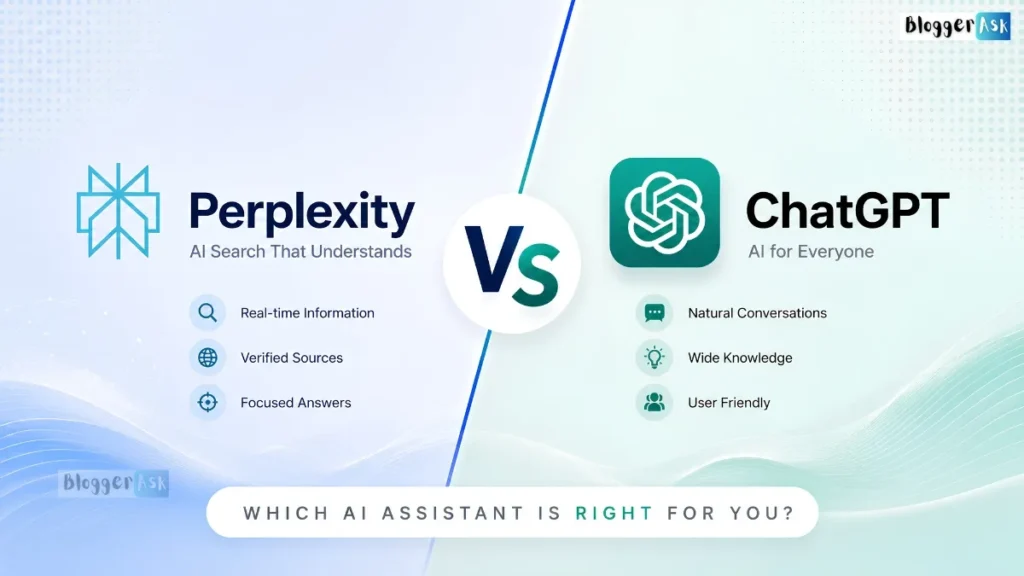
Perplexity is built for research. It searches the live web and shows you its sources for almost every answer. ChatGPT is built for everything else — writing, coding, planning, and open-ended conversation — with web search added on rather than being its main job.
If your work depends on finding and checking current information, start with Perplexity. If you need to create something from scratch, start with ChatGPT. Many people end up using both, and later in this guide we show you exactly how that workflow looks.
Perplexity vs ChatGPT in One Look
| Perplexity | ChatGPT | |
|---|---|---|
| Best for | Research, fact-finding, current events | Writing, coding, planning, brainstorming |
| Core design | Searches the web first, then answers | Generates from its own training, searches when needed |
| Citations | Shown by default on almost every answer | Shown only when it actively searches the web |
| Starting price | Free, then $20/month (Pro) | Free, then $20/month (Plus) |
| One-line verdict | The better fact-finder | The better all-round assistant |
Both tools have grown closer together over the past year. Perplexity now handles multi-step tasks and coding through its own agent tools, and ChatGPT now searches the web by default for a lot of queries. The old “search tool vs. chatbot” split is fading. What matters more now is which one fits the specific task in front of you — which is exactly what the rest of this guide walks through.
By the Numbers (as of July 2026)
| Metric | Perplexity | ChatGPT |
|---|---|---|
| Free tier | Yes — unlimited basic search with citations, ~5 Pro Searches/day | Yes — current default model with usage limits |
| Entry paid tier | Pro — $20/month ($200/year) | Plus — $20/month |
| Low-cost tier | Education Pro — $10/month (verified students) | Go — $8/month (US) |
| Top consumer tier | Max — $200/month | Pro — $200/month (a ~$100 mid-tier has also been reported) |
| Enterprise | Enterprise Pro $40/seat/mo; Enterprise Max $325/seat/mo | Enterprise — quote-based |
| Default model | Sonar (Perplexity’s own), + GPT, Claude, and Gemini on paid tiers | GPT-5.5 (Instant + Thinking) |
| Citation error rate (independent test) | ~37% — the lowest of all AI search tools tested by the Tow Center for Digital Journalism (2025) | Not the same tested category; ChatGPT cites only when it searches |
| Ads | No ads on consumer tiers (as of July 2026) | Ads shown to US Free and Go users since February 2026 |
Sources for these figures are linked throughout and listed at the end.
What Perplexity and ChatGPT Actually Are
What Is Perplexity AI
Perplexity is an AI-powered answer engine. You ask it a question, it searches the web in real time, and it returns a written answer with numbered citations linking back to its sources.
Perplexity was founded in 2022 by four co-founders — Aravind Srinivas, Denis Yarats, Andy Konwinski, and Johnny Ho — with Srinivas serving as CEO. Before Perplexity, Srinivas worked as a researcher at OpenAI and at Google (including DeepMind). As of mid-2026, Perplexity is valued at roughly $22.6 billion following its January 2026 Series E-6 round, and it has expanded well beyond search — it also offers Comet, a free AI browser (Mac, Windows, iOS, and Android), and Perplexity Computer, an agent that can carry out multi-step tasks on your behalf.
What Is ChatGPT
ChatGPT is OpenAI’s general-purpose AI assistant, built on a large language model (LLM). It’s designed to hold a conversation, write and edit text, generate code, analyze files, and reason through problems.
As of mid-2026, ChatGPT’s default everyday model is GPT-5.5 Instant, with a GPT-5.5 Thinking mode for slower, deeper reasoning; the app automatically routes between fast and reasoning modes depending on the question. ChatGPT can search the web when a question needs current information, but that’s one tool among many rather than its central purpose.
The Real Architecture Difference (Retrieval-First vs. Generation-First)
Here’s the technical difference that explains almost everything else in this article.
Perplexity is retrieval-first. Before it writes a word, it searches the web, pulls in relevant pages, and builds its answer around what it finds. This approach is called retrieval-augmented generation (RAG): an AI system searches for information first, then generates its answer from what it finds, instead of relying only on what it learned during training.
ChatGPT is generation-first. Its main job is producing text from what it learned during training. It can retrieve live information too, but retrieval is a tool it reaches for, not the foundation its answers are built on.
This isn’t just a technical detail — it directly affects how much you can trust each tool’s answers, and how carefully you should double-check them.
Perplexity vs ChatGPT: Feature-by-Feature Comparison
| Feature | Perplexity | ChatGPT |
|---|---|---|
| Web search | Built-in, on by default | Available, used selectively |
| Citations | Shown automatically | Shown only for searched answers |
| Model options | Its own Sonar models, plus GPT, Claude, and Gemini on paid tiers | GPT-5.5 family |
| Coding | Supported, not the main focus | Strong, purpose-built coding tools |
| Image generation | Available on paid tiers | Available on paid tiers |
| Long-document work | Good, especially with Deep Research | Very strong, including file uploads and analysis |
| Mobile & desktop apps | iOS, Android, Mac, Windows, plus the free Comet browser | iOS, Android, Mac, Windows, web |
| Free tier | Yes, unlimited basic search | Yes, limited access to newer models |
| Ads | None on consumer tiers | US Free and Go tiers (since Feb 2026) |
The Task-First Decision Rule
Instead of asking “which tool is better,” ask “what am I actually trying to do.” Here’s a simple rule of thumb based on task type:
| If your task is… | Use this first | Why |
|---|---|---|
| Finding and verifying current facts | Perplexity | Built around live search and citations |
| Writing an email, essay, or story | ChatGPT | Stronger general writing and tone control |
| Debugging or building code | ChatGPT | More mature coding tools and longer context for large files |
| Comparing claims across multiple sources | Perplexity | Shows sources side by side by default |
| Brainstorming ideas with no need for facts | ChatGPT | Faster, more flexible for open-ended thinking |
| Research for a paper, report, or decision | Perplexity, then ChatGPT | Research first, then draft with what you found |
Decision flow in one line: Do you need sourced, current facts? → start with Perplexity. Do you need something written, coded, or created from scratch? → start with ChatGPT. Both? → research in Perplexity, then draft in ChatGPT.
This task-first approach holds up better over time than picking a tool based on its category, since both tools keep adding features that blur the old lines.
Accuracy and Citations: What the Data Actually Shows
Why “It Cites Sources” Doesn’t Mean “It’s Correct”
A citation only tells you where an answer claims to come from. It doesn’t guarantee the claim is actually correct, or that the cited source really says what the AI says it says.
This distinction matters because it’s the single most misunderstood part of how these tools work. Seeing a source link next to an answer feels trustworthy — but that feeling can be misleading.
What Citation Hallucination Is
Citation hallucination happens when an AI tool attaches a real, working source link to a claim that source doesn’t actually support. The link looks legitimate. The specific fact next to it may not be.
A widely cited 2025 study from the Tow Center for Digital Journalism (published via the Columbia Journalism Review) tested how accurately AI search tools cite sources. Perplexity had the lowest failure rate of every tool tested — answering incorrectly about 37% of the time — while the worst performer in the test (a Grok search tool) failed roughly 94% of the time (Nieman Lab coverage of the Tow Center study).
Read that carefully, because the takeaway cuts two ways. Perplexity was the best citation-accuracy tool tested — and it still got roughly one in three answers wrong. That number comes from a single study, not an industry-wide average, and rates vary by tool and test design. But the conclusion is unavoidable: no citation-based AI tool should be treated as self-verifying, and the current best-in-class option is still far from perfect.
How Accuracy Drops on Niche or Rare Topics
Separate academic work using FActScore — a method that breaks an answer into individual facts and checks each one against reliable sources — has found that retrieval-based tools’ factual precision tends to fall substantially as a topic becomes more obscure or specialized. Common, well-documented topics score much higher than long-tail ones.
This makes sense once you think about it: search-based tools depend on there being good source material to retrieve. When a topic has little written about it, there’s less for the tool to retrieve accurately from, and it may bridge the gap by guessing.
Key takeaway: A citation shows you where an answer claims to come from — it doesn’t prove the claim is correct. On the best independent test to date, even the strongest tool got roughly one in three answers wrong. Verify anything that matters before you rely on it.
A Trust-Tiering Framework: How Much Should You Verify?
Not every question needs the same level of checking. Use this framework to decide how carefully to verify an AI answer before you rely on it:
- Low stakes (brainstorming, casual questions): Use the answer as-is. Being wrong costs you nothing.
- Medium stakes (blog research, general knowledge, work summaries): Spot-check one or two of the more surprising or specific claims.
- High stakes (medical, legal, financial, or academic citations): Verify every factual claim against the original source before you use it anywhere that matters.
How to Verify a Citation Yourself: A 3-Step Habit
- Click the source. Don’t just glance at the citation number — open the actual page.
- Find the specific claim. Search the page (Ctrl+F or Cmd+F) for the exact fact or number the AI attributed to it.
- Check the date and context. Make sure the source isn’t outdated or talking about something slightly different from what’s being claimed.
This takes under a minute per claim and is the single best habit for using either tool safely for anything important.
Expert tip: If a claim doesn’t appear anywhere on the page the AI cited, treat the claim as unverified — not “probably fine.” Citation hallucinations almost always look convincing; the missing text on the source page is your clearest warning sign.
Pricing Compared: Free, Pro/Plus, and Enterprise Tiers
TL;DR: Both tools start at $20/month for their main paid tier (Perplexity Pro, ChatGPT Plus). Top tiers run roughly $100–$200/month. Enterprise pricing starts at $40/seat/month for Perplexity and is quote-based for ChatGPT. Prices change often — confirm on each provider’s pricing page before buying.
Free Tier: What You Actually Get — and Is It Enough?
Both tools offer a genuinely usable free tier.
Perplexity’s free plan gives you unlimited basic search with citations, plus around 5 Pro Searches a day for its more advanced mode (Perplexity has changed this number before, so treat it as approximate and check the current limit in-app). ChatGPT’s free plan gives you access to its current default model with usage limits, plus basic file uploads and web search — though US free users now also see ads (more on that below).
Neither free tier includes the full model lineup, and both cap how much “deep” or multi-step research you can run per day.
Is the free version enough?
- Perplexity free is enough if you mostly want quick, sourced answers and only occasionally need the heavier “Pro Search” mode. For light research, it’s genuinely useful on its own.
- ChatGPT free is enough for casual writing, everyday questions, and light coding — but heavy users hit limits fast, and US free users trade an ad-free experience for the price. If you rely on it daily, Plus pays for itself quickly.
Perplexity Pro vs. ChatGPT Plus ($20 Tier Breakdown)
| Perplexity Pro | ChatGPT Plus | |
|---|---|---|
| Price | $20/month ($200/year) | $20/month |
| Model access | Sonar models, plus GPT, Claude, and Gemini | GPT-5.5 (Instant and Thinking) |
| Web search | Unlimited Pro Search | Included |
| Deep research | Included | Included |
| Image generation | Included | Included |
| File analysis | Included | Included, with larger usage limits |
| API | Sonar API billed separately (no bundled consumer credit) | API billed separately |
At the same $20 price point, the real difference is philosophy. Perplexity Pro’s headline feature is letting you pick which underlying model answers your query. ChatGPT Plus keeps you inside OpenAI’s own model family but gives you deeper tools built specifically around those models, like more mature coding support.
Important note: Perplexity’s Sonar API is a separate product with its own per-token billing — it is not bundled into consumer Pro or Max subscriptions. If you build on the API, that usage lands on a separate bill. Verify current API rates at perplexity.ai before budgeting.
Perplexity Max vs. ChatGPT Pro (Top-Tier Comparison)
Perplexity Max costs $200/month and adds Model Council, which runs your query simultaneously across three frontier models (currently drawn from the GPT, Claude, and Gemini families) and shows you where they agree or disagree. It also includes heavy use of Perplexity’s research and coding agents (via Perplexity Computer), plus higher-end image and video generation.
ChatGPT Pro is listed at $200/month on OpenAI’s pricing page, and recent reporting describes an emerging mid-tier around $100/month with shared model access but different usage ceilings. Confirm the current structure directly on OpenAI’s pricing page before comparing it against Perplexity Max — this is a recent change and available sources don’t fully agree on it yet.
Neither top tier is necessary for casual use. They make sense once you’re running high-volume, high-stakes work daily and the $20 tier’s limits are actually holding you back.
Enterprise Pricing and What Changes for Teams
Perplexity’s team pricing starts at $40 per seat per month (Enterprise Pro) and rises to $325 per seat per month (Enterprise Max) for organizations that need higher research volume and the most advanced models (Perplexity Enterprise pricing). Note that some enterprise governance features (advanced audit logs, configurable retention, SCIM) switch on only above a member threshold, so smaller teams should confirm what their tier actually unlocks. ChatGPT Enterprise pricing is quote-based and typically negotiated per organization, scaling with seat count and usage.
Data Privacy and Compliance Differences
Enterprise tiers on both platforms add single sign-on, admin controls, audit logs, and a contractual promise that your data won’t be used to train the underlying models. If your organization operates in the EU, note that the EU AI Act’s general-purpose AI (GPAI) obligations — covering transparency and copyright compliance — began applying on 2 August 2025 and continue phasing in through 2026–2027, with longer transition windows for models already on the market. Check both vendors’ current compliance documentation directly before signing an enterprise contract — this area changes fast.
Data and Privacy for Individual Users
Enterprise buyers get contractual data protections, but individual users should understand the defaults too:
- ChatGPT: As of February 2026, US users on the Free and Go tiers see ads (labeled “Sponsored”); OpenAI says ads don’t influence answers and advertisers don’t get your conversations. Plus, Pro, Business, Enterprise, and Education tiers are ad-free. Depending on your settings, chats may be used to improve models — you can turn this off or use temporary chats in Settings.
- Perplexity: Consumer tiers do not currently show ads (as of July 2026). Perplexity offers data controls in settings, and enterprise data is not used for training.
Best practice: On either tool, if you’re pasting anything sensitive, open your settings first, turn off model-training on your data (or use a temporary/incognito chat), and avoid uploading confidential files on free tiers.
What It Costs to Run Both
If you want full access to Perplexity, ChatGPT, Claude, and Gemini at their standard paid tiers, you’re looking at roughly $80 a month total, since each one charges close to $20 on its own. Add a fifth tool, like Grok, and that climbs toward $100 or more. Some third-party apps bundle multiple models into one subscription for less, trading a lower price for less native integration with each tool’s own app and browser features.
For most individuals, paying for one tool at $20/month and using the other’s free tier for occasional needs covers the large majority of real use cases.
Key takeaway: Price alone won’t decide this for you — both main tiers cost the same. The real question is whether your work needs one tool or two.
Which One Wins for Specific Tasks
The calls below reflect each tool’s core design and how people generally report using them in practice — not one controlled benchmark run across every task. For anything high-stakes, treat these as a starting point and confirm with your own quick side-by-side test.
Research, Fact-Checking, and Academic Work
Winner: Perplexity. Its citation-first design gives you a paper trail for every claim, which is exactly what research and fact-checking work needs — as long as you verify anything surprising, specific, or high-stakes before you rely on it.
Coding and Development
Winner: ChatGPT. Its coding tools are more mature, its context window handles larger codebases more comfortably, and it’s built with dedicated coding-focused model variants. Perplexity can write code, but it’s not the tool’s main strength.
Writing, Brainstorming, and Content Creation
Winner: ChatGPT. It’s more flexible with tone, structure, and creative constraints, since generation — not retrieval — is what it’s built to do best.
Deep Research (Head-to-Head)
Both tools now ship a dedicated “Deep Research” mode that runs multi-step searches and returns a longer, cited report. In practice:
- Perplexity’s Deep Research is retrieval-native — it leans on live web sources and inline citations from the ground up, which makes the source trail easy to audit.
- ChatGPT’s Deep Research produces strong, well-structured long-form synthesis and integrates smoothly with file uploads and your other ChatGPT work, but you should confirm that its cited sources actually support each claim.
Rule of thumb: if the source trail is the deliverable, start with Perplexity; if the written synthesis is the deliverable, start with ChatGPT — and verify citations either way.
Medical, Legal, and High-Stakes Research
Use Perplexity to gather sources quickly, but treat this as high-stakes territory under the trust-tiering framework — verify every citation yourself, and never treat either tool’s answer as a substitute for a qualified professional. Both tools will tell you the same thing if you ask them directly: they’re a starting point, not the final word.
Students
For coursework research and finding sources, Perplexity’s citation habit is genuinely useful for building good research practices — and its Education Pro plan ($10/month with student verification) is one of the cheaper routes to advanced AI. For essay drafting, study explanations, and working through problem sets, ChatGPT’s conversational teaching style tends to work better.
An Illustrative Side-by-Side: One Prompt, Two Tools
To make the difference concrete, here’s how each tool typically approaches the same prompt — “What are the latest EV adoption rates by region?” This is an illustration of expected behavior, not a captured transcript:
- Perplexity searches live sources, returns a concise answer with numbered inline citations, and lets you click straight through to each report or news article. Your next job is verification: open the sources and confirm the specific figures.
- ChatGPT may answer from training data by default (potentially out of date) unless it decides to search; when it does search, it returns a fluent summary with fewer, less prominent citations. Its strength shows if you then say, “Now turn these verified figures into a structured report.”
The pattern generalizes: Perplexity front-loads sources; ChatGPT front-loads polished output.
Perplexity vs ChatGPT vs Claude vs Gemini: Where the Others Fit
A growing number of people compare more than two tools at once, so it’s worth placing Claude and Gemini here too.
When Claude Is the Better Call
Claude, made by Anthropic, is generally considered strong for longer, more careful writing and for coding tasks that need careful reasoning through edge cases. If your work is writing- or code-heavy and you want a third option beyond ChatGPT, Claude is usually the one people reach for.
When Gemini Is the Better Call
Gemini, made by Google, integrates tightly with Google’s own apps — Docs, Sheets, Gmail — and its current fast model, Gemini 3.5 Flash (released May 2026), is built to deliver near-Pro capability at lower cost and higher speed, and is now the default in the Gemini app and in Google Search’s AI Mode (Google DeepMind: Gemini Flash). If you already live inside Google Workspace, Gemini’s integration is hard to beat.
Do You Need Any of Them, or Just One Tool?
For most people, one tool covers the large majority of daily needs. Grok and Copilot show up in comparison searches too, but they solve narrower problems — Grok, built by xAI, is tied closely to X (formerly Twitter) for real-time social context, and Copilot is mainly valuable if your organization is already deep in the Microsoft 365 ecosystem. Don’t add a subscription just because a tool exists — add it when a specific, recurring task actually needs it.
Can You Use Both? A Real Workflow
The Research-Then-Create Workflow
The simplest way to combine both tools: research with Perplexity, then create with ChatGPT. Perplexity gathers verified, cited information. ChatGPT takes that information and turns it into a polished piece of writing, a plan, or code.
A Worked Example, Start to Finish
Let’s say you’re writing a report on electric vehicle adoption trends.
Step 1: Research in Perplexity
Ask Perplexity directly for the latest EV adoption figures by region. It returns a cited summary pulling from recent news and industry reports. Check those links yourself: open the source, confirm the specific number, and check the date.
Step 2: Draft in ChatGPT
Paste the verified facts and sources into ChatGPT, and ask it to turn them into a structured report with an introduction, clear sections, and a conclusion. ChatGPT handles the structure and tone; the facts underneath came from Perplexity’s sourced research.
This two-step habit takes a few extra minutes but produces work that’s both well-written and well-sourced — better than either tool alone tends to manage.
What Real Users Say (Beyond the Marketing)
Marketing pages make both tools sound flawless. Real usage is messier.
Where Perplexity Actually Falls Short
- Struggles more with math and multi-step coding problems than dedicated coding tools.
- Its mobile app has been reported as less stable than the desktop or web version.
- Can lose track of context in long, multi-turn conversations.
- Doesn’t always flag when it’s uncertain — an answer can sound confident even when it’s wrong, citations included.
Where ChatGPT Actually Falls Short
- Can be slower to surface the most current information compared to a search-first tool.
- Free and low-cost Go tiers now show ads to US users (rolled out February 2026), which some users find intrusive.
- Longer conversations can drift or lose earlier context, similar to Perplexity.
- Its strong, confident tone can make incorrect answers feel more certain than they are.
Neither tool is dishonest about these limits if you dig into their own documentation — but neither leads with them either. Treat both as capable assistants with real, specific blind spots, not infallible oracles.
Which One Should You Choose
Choose Perplexity If
- You need answers with sources you can actually check.
- Your work involves current events, ongoing research, or comparing claims.
- You want the flexibility to switch between GPT, Claude, and Gemini without separate subscriptions.
Choose ChatGPT If
- Your main work is writing, coding, or general problem-solving.
- You want the most mature ecosystem of tools, plugins, and coding support.
- You don’t need every answer sourced — you need something created.
Choose Both If
- You do research-heavy work that also requires polished written output.
- You can justify roughly $40/month for two subscriptions.
- You’re willing to research first and draft second instead of expecting one tool to do everything.
What Changed in 2026 (Quick Changelog)
- February 2026: ChatGPT began showing ads to US Free and Go tier users.
- May 2026: GPT-5.5 Instant became ChatGPT’s default model; Google released Gemini 3.5 Flash as its new fast default.
- Early 2026: Perplexity’s valuation reached ~$22.6 billion (Series E-6); it expanded agent products (Perplexity Computer) and added Model Council to the Max tier.
- Throughout 2026: Both tools blurred the search-vs-chatbot line — Perplexity added deeper agents and coding; ChatGPT searched the web more aggressively by default.
Because both products change monthly, re-check pricing, model names, and features against each provider before relying on any single figure here.
FAQs
Is Perplexity AI better than ChatGPT?
Neither is better overall — they’re built for different jobs. Perplexity is better for sourced research and fact-finding. ChatGPT is better for writing, coding, and general assistance.
Is ChatGPT or Perplexity more accurate?
It depends on the task. Perplexity grounds answers in live sources and, in the Tow Center for Digital Journalism’s 2025 test, had the lowest citation-error rate of any AI search tool measured (about 37%) — though that still means roughly one in three answers were wrong. ChatGPT is strong on reasoning and writing but only cites sources when it actively searches. On either tool, verify high-stakes claims yourself.
Is the free version of Perplexity good enough?
For light, everyday research it often is — you get unlimited basic searches with citations and a small daily allowance of the more advanced “Pro Search” mode. If you run deep research often or want to switch between premium models, you’ll want Pro.
Does Perplexity show ads?
As of July 2026, Perplexity’s consumer tiers do not show ads. ChatGPT, by contrast, shows ads to US Free and Go tier users (since February 2026), while its paid tiers remain ad-free.
Why is Perplexity so famous?
Perplexity built its early reputation on showing citations by default, when most chatbots gave no sources at all. Its profile since has been shaped by fast growth, large funding rounds, and high-profile disputes with news publishers — including lawsuits and legal notices from outlets such as The New York Times, Dow Jones, the BBC, and CNN over how it sources and cites content.
Is there any AI stronger than ChatGPT?
“Stronger” depends on the task. Claude and Gemini are considered stronger for some careful-writing/coding and integration-heavy tasks respectively, while Perplexity is stronger for sourced research. No single tool leads on every task.
What are the cons of Perplexity?
Its citations don’t guarantee accuracy, its factual precision drops on obscure topics, its mobile app has had stability issues, and it’s a weaker choice than dedicated tools for heavy coding or math work.
Can I use Perplexity and ChatGPT together?
Yes. A common workflow is researching with Perplexity for sourced facts, then drafting or building with ChatGPT using that research as a foundation.
Which is cheaper, Perplexity or ChatGPT?
Their standard paid tiers are priced the same, at $20/month. ChatGPT also offers a lower-cost Go tier ($8/month in the US, with ads), and Perplexity offers Education Pro ($10/month) for verified students. Free tiers on both are usable but limited.
Does Perplexity use ChatGPT?
No. Perplexity runs its own Sonar models by default, though its paid tiers let you optionally route a query to other providers’ models, including OpenAI’s, as one of several model choices.
Conclusion
Perplexity and ChatGPT aren’t really competing for the same job anymore. Perplexity is the better fact-finder. ChatGPT is the better all-round creator. The tools have started borrowing from each other’s strengths, but the core difference — retrieval-first versus generation-first — still shapes what each one is genuinely best at.
The most useful thing you can take from this guide isn’t “which tool is better.” It’s the task-first habit: name what you’re actually trying to do, match it to the right tool based on whether you need sourced research or original creation, and verify anything that matters before you rely on it. That approach keeps working even as both tools keep changing.
About this guide: This comparison is based on publicly available pricing pages, official product documentation, release notes, and independent benchmark and user-review research — not hands-on side-by-side testing by the author. Every figure reflects information available as of July 2026. Where a claim depends on a named study or benchmark, that source is linked in the text and listed at the end. Because both tools change monthly, verify current pricing and model details with each provider before you buy.
📖 Continue Reading:
Sources & References
- OpenAI — ChatGPT Model Release Notes (default model, GPT-5.5): help.openai.com
- TechCrunch — “OpenAI releases GPT-5.5 Instant, a new default model for ChatGPT”: techcrunch.com
- TechCrunch — “ChatGPT rolls out ads” (Feb 2026): techcrunch.com
- Tow Center for Digital Journalism / Columbia Journalism Review — AI search citation-accuracy study (2025), via Nieman Lab: niemanlab.org
- Perplexity — official Enterprise pricing: perplexity.ai/enterprise/pricing
- Perplexity — consumer pricing (Pro, Max, Education Pro): perplexity.ai/pricing (verify current figures on the live page)
- Google DeepMind — Gemini 3.5 Flash: deepmind.google
- Google — Gemini API models documentation: ai.google.dev
- Gemini (language model) — Wikipedia (model release timeline): en.wikipedia.org
- OpenAI — ChatGPT pricing page (Plus, Go, Pro, Enterprise): openai.com/pricing (verify current tier structure on the live page)
- Perplexity AI — Wikipedia (company history, founders, funding): en.wikipedia.org
- FActScore — academic method for fine-grained factual-precision evaluation (Min et al.), referenced for factual-precision testing
- European Commission — EU AI Act, general-purpose AI (GPAI) obligations and implementation timeline
- Reddit and G2 user-review analysis — real-world Perplexity and ChatGPT usage
Pricing, model names, and features for both platforms change frequently — and in the case of ChatGPT’s top-tier structure, available sources don’t fully agree. Figures reflect publicly available information as of July 2026. Verify current details directly with each provider before making a purchasing decision.